What Is a Link in Bio? A Guide for Australian Creators
By RooQR Team · Published in Australia
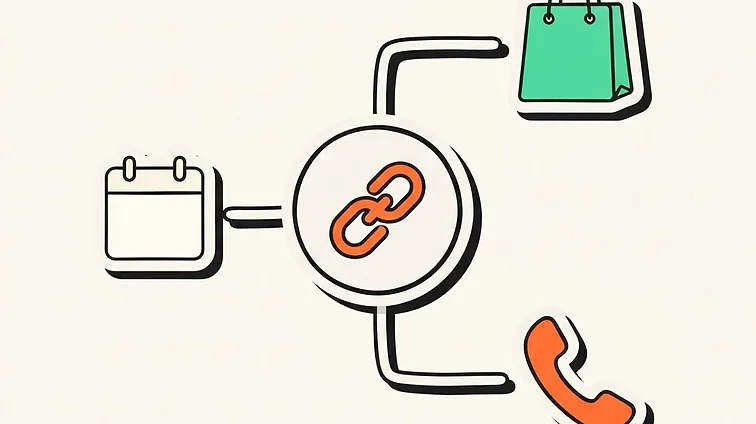
If you have spent any time browsing Instagram, TikTok, or YouTube, you have encountered the phrase "link in bio" countless times. On platforms where clickable website links are barred from standard post captions, that single profile link is the primary bridge connecting casual scrollers to your actual business.
What does link in bio mean?
A "link in bio" refers to the clickable URL displayed at the top of your social profile, sitting directly beneath your handle and account summary. Because networks like Instagram and TikTok restrict hyperlinks in post comments to keep users inside their apps, creators and businesses rely on this single slot to direct followers to outside destinations.
When you tell someone to "check the link in bio", you are giving them a direct call to action to visit your profile and tap through to your external store, booking sheet, quote form, or current promotion.
Single link vs a link-in-bio hub: which works better?
You can paste any standard website address directly into your profile. For businesses with a single objective—such as sending all visitors straight to an online store homepage—a direct URL is clean and straightforward.
However, relying purely on one static link introduces common bottlenecks:
- Constant editing: Every time you launch a new special, release a video, or update a menu, you must update the URL in your bio.
- Traffic conflicts: Promoting a new service in your posts means replacing the link to your quote page or contact form.
- Broken context: Past posts referencing older promotions will point users to the wrong place once the bio URL changes.
A dedicated link-in-bio tool resolves this by providing a single, permanent URL that directs visitors to a curated mobile landing page. From that page, visitors can choose between your contact details, service menu, social profiles, review links, or seasonal deals all in one spot.
Where to find and update your bio link
On Instagram, TikTok, and Facebook mobile apps, your link appears directly on your profile screen:
- Navigate to your profile tab in the app.
- Tap Edit Profile.
- Find the dedicated Website or Links section.
- Paste your clean destination URL and save changes.
How Australian businesses use bio pages to drive growth
A bio page works best when it acts as an immediate action centre rather than an unfocused sitemap. Local businesses and creators commonly use their hubs to:
- Capture enquiries and quotes: Tradies, mechanics, and local contractors can place an instant "Request a Quote" or "Call Direct" button at the very top.
- Share fresh menus and bookings: Cafés, restaurants, and food trucks can direct foot traffic straight to current weekly specials, dietary guides, or reservation forms.
- Cross-promote social platforms: Creators and podcasters can unite their YouTube channel, TikTok clips, Spotify shows, and newsletters under one clean banner.
- Gather customer reviews: Place a quick link pointing directly to your Google review profile to collect feedback while customer interest is fresh.
Connecting your digital bio to real-world print
While bio pages were invented for social app profiles, their mobile-first format makes them ideal for physical print marketing. Placing a QR code on a shop counter, work ute, market banner, or business card that scans straight to your bio page ensures potential customers land on an optimised mobile hub instantly.
With RooQR’s Big Red plan, you can claim a clean custom handle (like rooqr.com/@yourbusiness) and pair it with a dynamic QR code. If your phone number, service list, or links change down the track, you update your bio page online without having to reprint stickers or signage.
Best practices for optimising your bio page
Keep these principles in mind to maximise clicks and conversions:
- Prioritise top placement: Put your most critical business objective—such as booking a table or calling for an emergency quote—at the top of the button stack.
- Choose clean, readable styling: Avoid cluttered backgrounds that distract from your call to action. RooQR features over 50 mobile themes designed to match trade, creative, and professional aesthetics.
- Keep link copy direct: Use active, specific labels such as "View Lunch Menu" or "Book a Service" instead of vague phrases like "Click Here".
- Review your scan and visit data: Check your dashboard analytics to see which links visitors click and what devices they use, so you can refine your layout over time.
Ready to build a clean mobile link hub for your business? Hop on RooQR to set up your bio page and generate print-ready QR codes tailored for Australian business.
Ready to build your next QR code?
Start free on the Mate plan today.